




Education has always been shaped by the tools available to teachers. From chalkboards to overhead projectors, from textbooks to digital classrooms, each technological shift has changed how educators prepare lessons and interact with students. In recent years, artificial intelligence has begun to enter classrooms, but most of the tools available today were never truly designed for educators. Teachers have been forced to adapt general-purpose technologies to educational workflows, often combining multiple applications just to produce a single lesson.
Teacher Studio 360 was created to solve that problem!
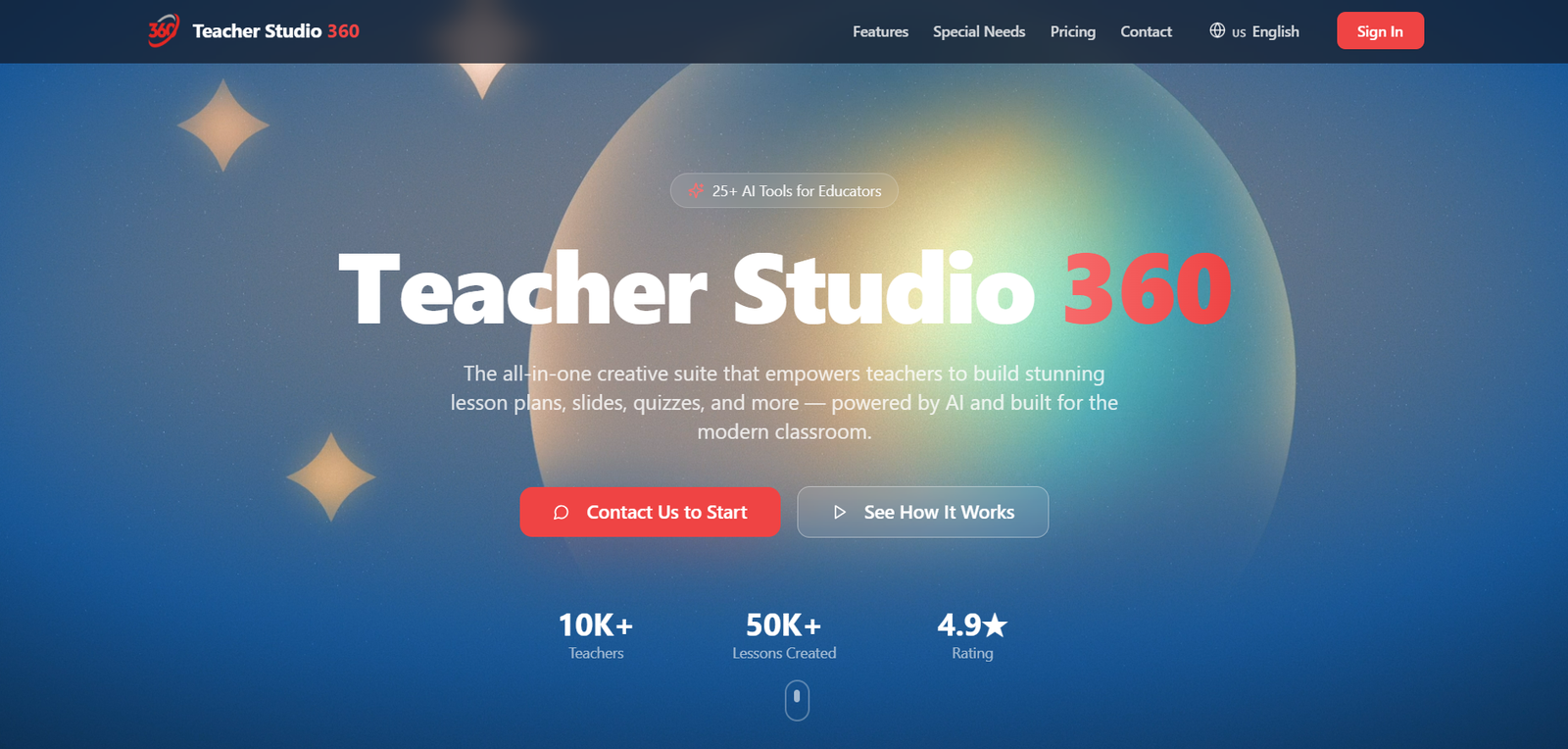
Rather than offering a single AI feature or a limited tool, Teacher Studio 360 introduces a complete ecosystem designed specifically for educators. It brings together a powerful set of more than twenty-five integrated tools that help teachers design lessons, create visual materials, generate quizzes and assessments, build multimedia content, and organize their teaching workflow in one unified platform.
The idea behind Teacher Studio 360 is simple: reduce the enormous amount of time teachers spend preparing materials and give them a modern environment that allows them to focus on teaching rather than on software.
A Unified Creative Workspace for Educators
Teaching in the mid-2020s is very different from teaching even a decade ago. Students are increasingly accustomed to digital content, interactive media, and fast-paced information. Traditional lecture methods are no longer enough to maintain attention in many classrooms. Educators are expected to create visually engaging lessons, incorporate multimedia, adapt to different learning styles, and update their materials frequently.
At the same time, teachers face significant time constraints. Many educators spend several hours each week preparing presentations, worksheets, quizzes, and supplementary materials. Over the course of a school year, this can easily add up to hundreds of hours dedicated to preparation outside the classroom.
To cope with this workload, teachers often rely on a patchwork of tools. One application may be used to create slides, another for design, another for quizzes, another for flashcards, and yet another for artificial intelligence assistance. While each tool can be useful on its own, the result is a fragmented workflow that wastes time and creates unnecessary complexity.
Teacher Studio 360 was designed to replace this fragmented approach with a single integrated environment.
A Unified Creative Workspace for Educators
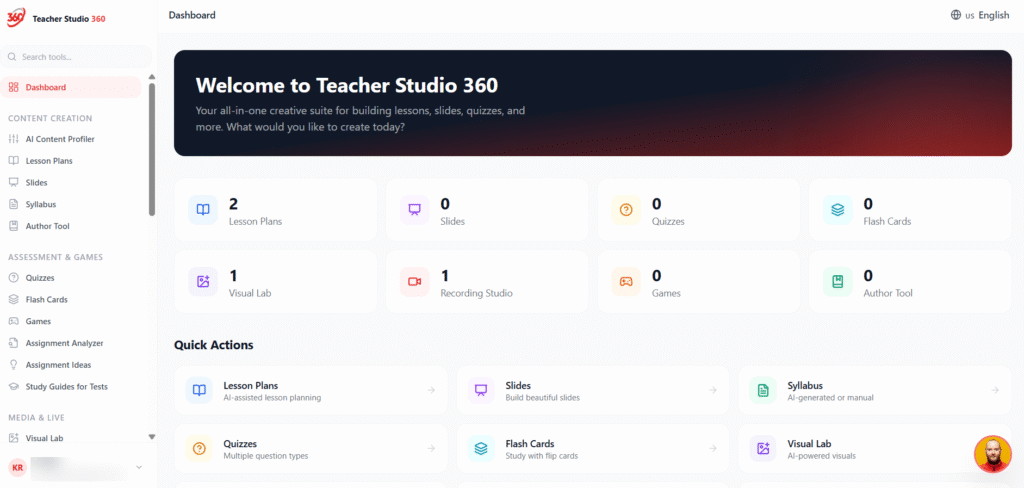
At its core, Teacher Studio 360 functions as a creative studio for teaching. Within one platform, educators can generate lesson plans, design presentation slides, produce worksheets, create quizzes, build flashcards, develop visual illustrations, record audio explanations, and assemble multimedia teaching materials.
Instead of switching between several different subscriptions and applications, teachers can complete their entire preparation process inside one workspace.
The platform currently includes more than twenty-five specialized tools and continues to grow as new features are developed. These tools allow teachers to transform ideas into complete educational resources quickly and efficiently. What previously required hours of formatting, editing, and manual design can now be generated in minutes while still allowing educators to review and adjust the content to match their teaching style.
This approach not only saves time but also encourages consistency. Schools that adopt Teacher Studio 360 can maintain a coherent structure for lessons and materials while still allowing teachers to express their individual teaching styles.
Designed for Education, Not Just Artificial Intelligence
One of the most important aspects of Teacher Studio 360 is that it is not simply another artificial intelligence chatbot or general-purpose AI application. While it uses advanced AI technologies behind the scenes, the platform itself is built around educational workflows.
Generic AI tools require teachers to write detailed prompts, interpret raw outputs, and manually convert those outputs into usable materials. For example, a teacher using a standard AI system might generate text for a lesson, then move to another program to turn it into slides, another program to design visuals, and another to create assessments.
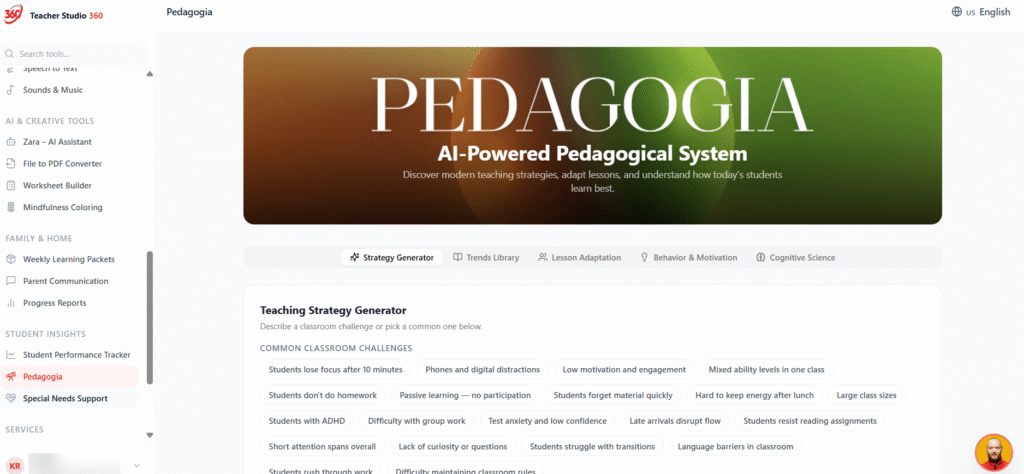
Teacher Studio 360 removes those steps by structuring the creative process specifically for educators. The system understands the types of materials teachers need and provides dedicated tools for producing them. Lessons can be generated in structured formats, quizzes can be built automatically from lesson content, and visual materials can be created directly within the same environment.
In other words, Teacher Studio 360 does not simply generate text. It helps educators build complete educational experiences.
Significant Financial Savings for Schools
Beyond saving time, Teacher Studio 360 also addresses another challenge faced by many institutions: software costs.
Modern schools often subscribe to numerous platforms to support teachers. Design software, AI tools, quiz generators, flashcard platforms, and multimedia tools can quickly accumulate into substantial yearly expenses. Each of these platforms may serve a useful purpose, but together they can represent hundreds of dollars per teacher annually.
Teacher Studio 360 consolidates many of these capabilities into a single platform. By replacing multiple subscriptions with one unified ecosystem, schools can significantly reduce their overall software spending while expanding the tools available to teachers.
The result is not only financial efficiency but also operational simplicity. Teachers and administrators no longer need to manage numerous accounts and platforms. Everything can be accessed from one environment designed for teaching.
Empowering Teachers Rather Than Replacing Them
Despite the rapid rise of artificial intelligence in education, the goal of Teacher Studio 360 is not to replace educators. Instead, it aims to empower them.
Teachers remain the central force in the learning process. Their experience, creativity, and ability to understand their students cannot be replicated by software. What technology can do, however, is remove many of the repetitive tasks that consume valuable time.
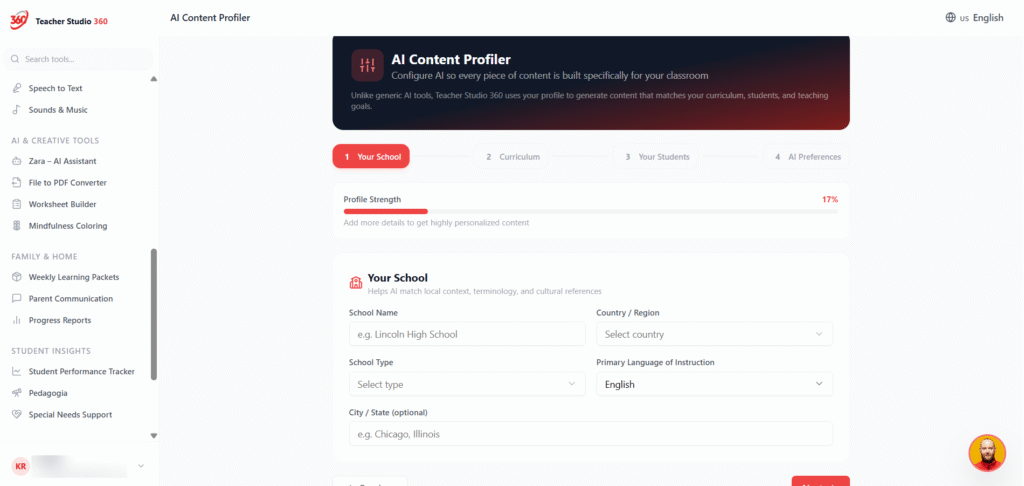
Teacher Studio 360 assists educators by accelerating the preparation process while leaving final control in the hands of the teacher. Lessons can be adapted to existing curricula, modified to match classroom objectives, and customized according to the teacher’s personal approach.
This partnership between technology and pedagogy allows teachers to maintain their expertise while benefiting from modern tools.
Preparing Education for the Future
Education is entering a new phase in which digital content, adaptive learning, and intelligent tools will play an increasingly important role. Schools that adopt modern platforms early will be better positioned to adapt to evolving educational demands and student expectations.
Teacher Studio 360 represents a step in that direction. By providing an integrated ecosystem for lesson creation, multimedia development, and educational content generation, the platform helps teachers operate more efficiently while maintaining high standards of quality.
For schools and educators seeking a modern approach to lesson preparation, Teacher Studio 360 offers a glimpse into what the future of teaching tools can look like.
An Invitation to Educators and Schools
Teacher Studio 360 is now available for educators and institutions interested in exploring a more efficient approach to lesson preparation and content creation.
Teachers can experience the platform firsthand through a free trial, allowing them to explore its tools, experiment with lesson generation, and see how much time can be saved in their daily workflow.
As education continues to evolve in the digital age, platforms like Teacher Studio 360 aim to ensure that teachers remain fully equipped with the tools they need to inspire the next generation of learners.
Click here to get your free trial account.